BLOG
KO
ECS and Docker Experience - Part 3
This post covers testing in the deployed server environment and server management through CDK. If you're curious about the previous content, please refer to Part 1 and Part 2!
Stress test
We confirmed that stress tests in the local environment, reproduced similar to actual request volumes, proceeded without problems.

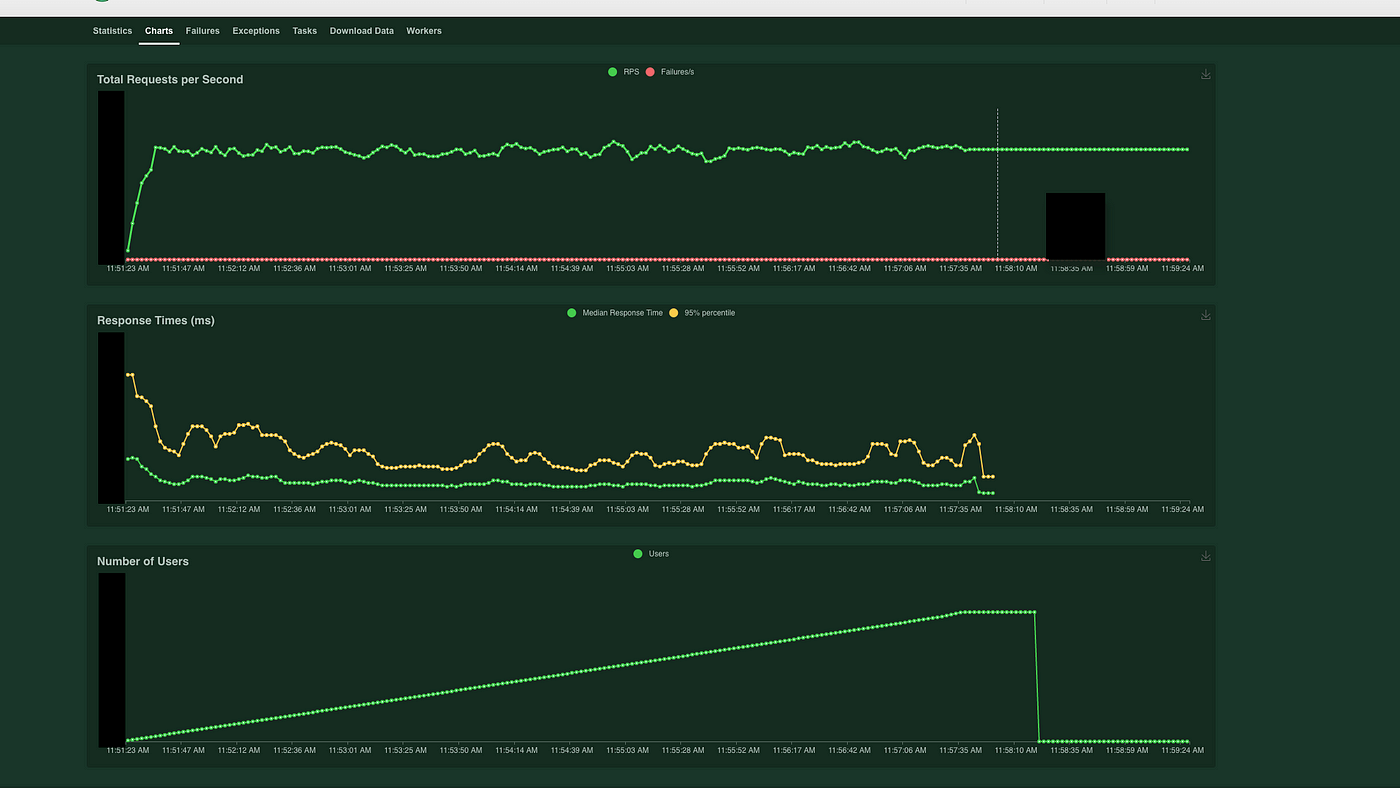
In the first attempt, we proceeded with CPU allocation for Nginx and Django in a 0.15 : 0.85 ratio, In the second attempt, we proceeded with default settings without separate allocation.

As a result, we couldn't find any meaningful differences, so we proceeded without separate settings.
AWS CDK
While deployment was successfully completed, there were physical limitations to repeating these complex processes every time. The feature that allows us to manage these processes all at once through code is AWS CDK.
AWS CDK (Cloud Development Kit) is a development framework that allows you to define cloud application resources using programming languages.
You can easily manage various AWS features such as services, VPCs, and security groups through CDK. Additionally, CDK can be developed using .NET, GO, Java, Python, and Typescript languages, allowing developers to choose a language familiar to them.
CDK creates built stacks in AWS CloudFormation through the cdk deploy stack-name command. Deployed stacks allow you to easily identify progress at each stage and where errors occur when they happen. Also, the cdk synth command allows you to identify differences between the code being written and actual AWS resources, preventing developer mistakes.
Unfortunately, as of now (2022.1.27), CDK doesn't fully support up to CodeDeploy, making perfect deployment using only CDK impossible. To compensate for this, we completed the CI/CD process using CDK and GitHub Actions by pushing images and simultaneously performing the CodeDeploy process through GitHub Actions.
With the completion of CDK, any developer at Inpock Link can now easily manage server images.
Initial deployment
- cdk deploy stack
- Upload server image
- Create CodeDeploy group
- CodeDeploy through GitHub Actions
When there's a new deployment Deploy through GitHub Actions
After deploying the live server, the server operated normally during a 3-day monitoring period, and no service failure-related CS issues occurred.
This successfully concluded the Server Containerization project. Working as a frontend developer, you often get trapped in tasks like page and feature implementation, but this was a great opportunity to study various stacks that are difficult to encounter normally. At the same time, I gained the perspective to see the bigger picture.
I feel like I've taken a good first step toward becoming a full-stack developer..!